AI in Product Design, AI Enabled Designing
How I Use AI Every Day as a Product Designer
My workflow today isn’t Figma plus AI. It’s a conversation between product thinking, design judgment, and a set of AI collaborators that each excel at different parts of the process.

People often ask me which AI tools I use. The answer keeps evolving, but these are the ones that have become part of my daily workflow—not because they’re trendy, but because each solves a different problem.
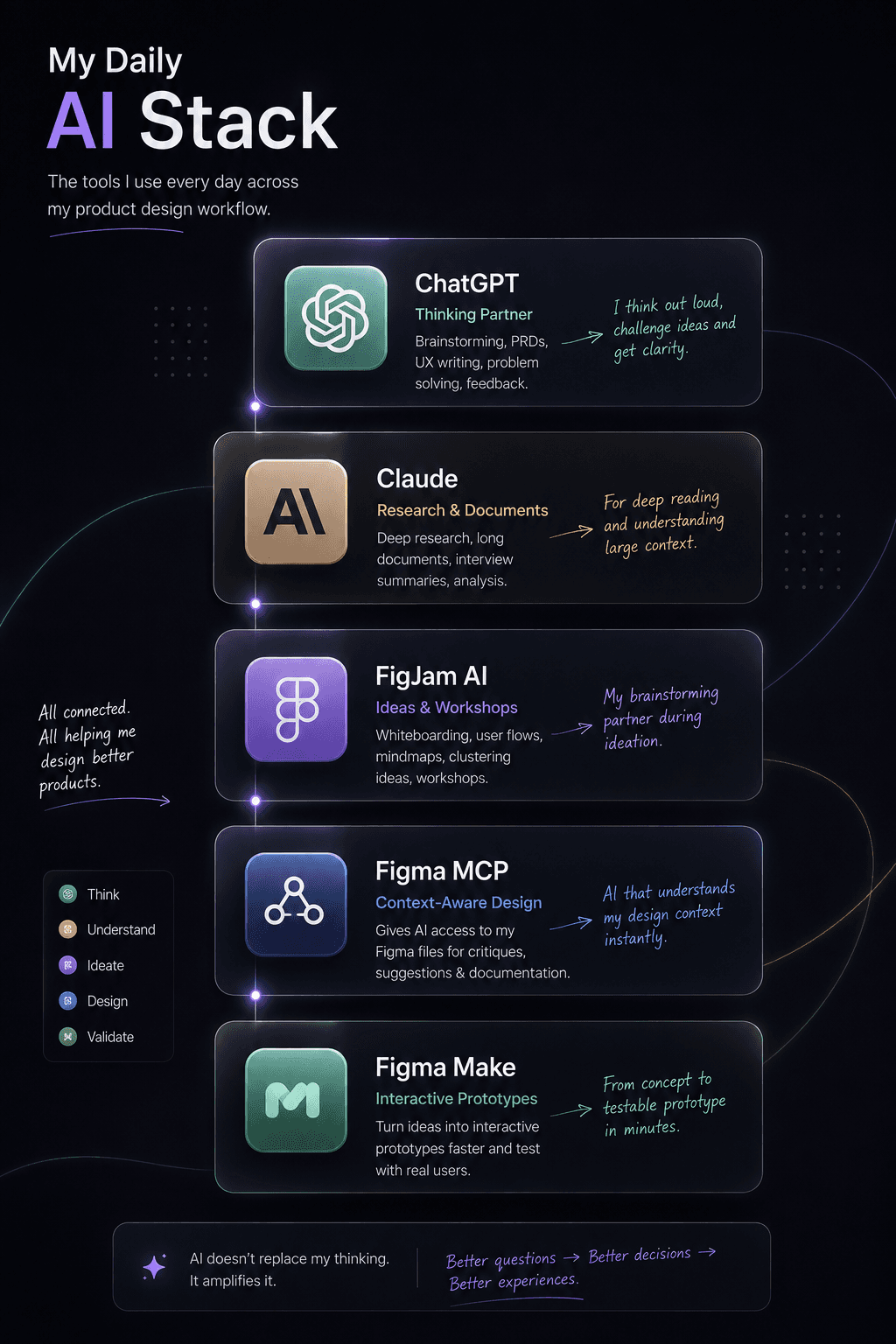
ChatGPT is where most of my thinking starts. It’s my brainstorming partner, product reviewer, writing assistant, and sometimes even my devil’s advocate. Whether I’m defining an MVP, challenging a user flow, writing a PRD, or preparing for a stakeholder discussion, it’s usually the first place I go before opening Figma.
Claude shines when I’m working with large amounts of information. I use it to analyse lengthy research documents, interview transcripts, strategy documents, or technical specifications. Its ability to work through long-form context makes it invaluable during discovery and product planning.
Figma MCP has quietly become one of my favourite additions to the workflow. Instead of describing a design in words, AI can understand the actual design context directly from my Figma files. That means I can ask for design critiques, accessibility improvements, UX suggestions, component refinements, or even help documenting a screen without repeatedly explaining the interface.
Figma Make has completely changed how I prototype ideas. Rather than spending hours building high-fidelity interactions, I can quickly turn concepts into interactive prototypes and validate them much earlier with users or stakeholders. It has significantly shortened the gap between an idea and something people can actually experience.
I also find myself using AI inside FigJam more than I expected. During workshops, whiteboarding sessions, or mood boarding, AI helps organise scattered thoughts, cluster ideas, generate themes, suggest user flows, and even uncover perspectives we hadn’t considered. It feels less like an automation tool and more like another participant in the brainstorming session.
The biggest shift isn’t that I have more AI tools.
It’s that AI now exists throughout my entire workflow.
It helps me think before I design.
It helps me explore while I design.
And it helps me communicate after I design.
That’s a very different role from simply generating UI screens.

